
Guide 2 of 3 · If you bought unverified
Getting your account verified.
Verified means TikTok has checked who you are. You need it before TikTok will let you post shop links.
About 1 hour, mostly waitingYou need US details for this
TikTok asks for a US home address and the last 4 digits of a US Social Security Number. A Social Security Number is an American ID number — if you’ve never lived or worked in America, you won’t have one.
No US details? You can still sell and still earn — you just get paid a different way. Skip to how you get paid if you’re not American at the bottom of this page.
Have these ready before you begin:
- A photo ID — passport, driving licence or national ID card
- A US home address (your own address is fine)
- The last 4 digits of a US Social Security Number
- Your phone, not a computer — the form works better on a phone
Find the verify button
On your phone, in the TikTok app:
Your profile → TikTok Studio → TikTok Shop for Creator
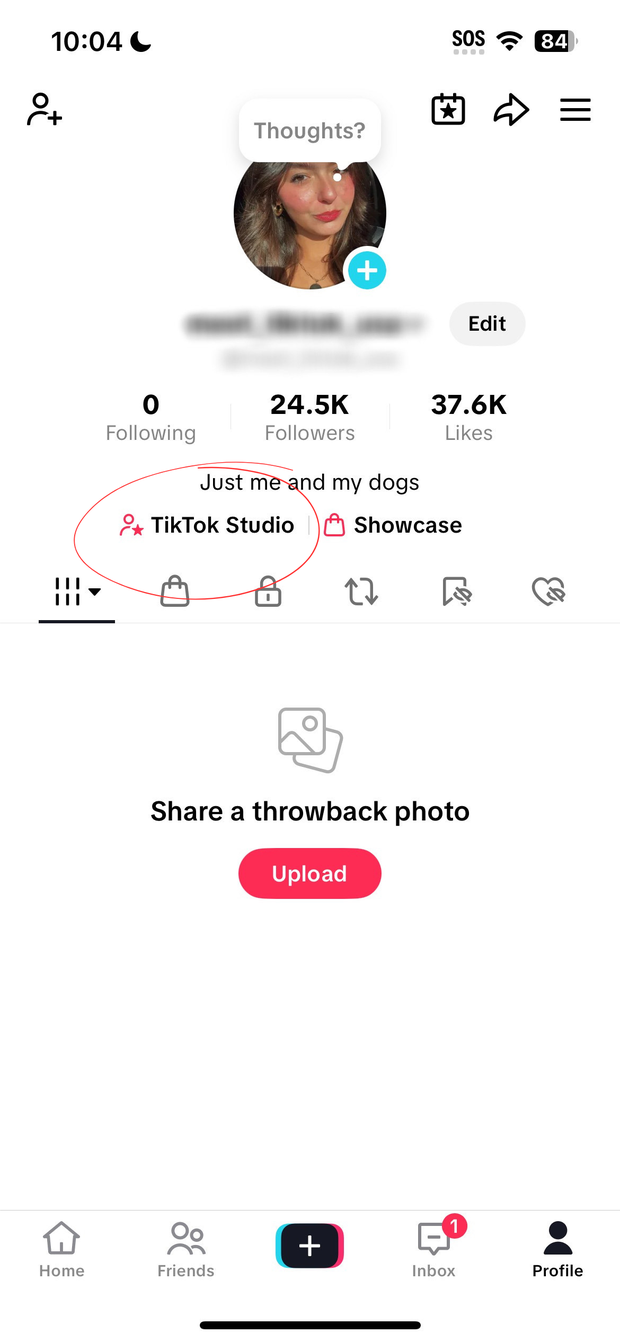
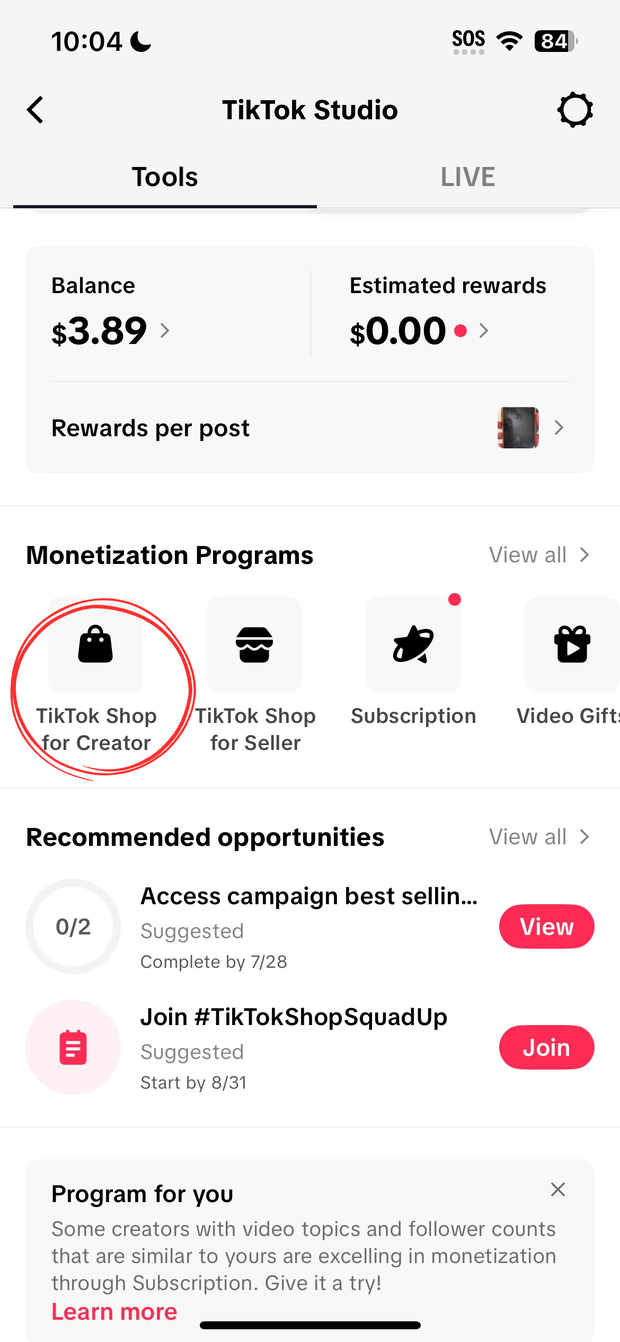
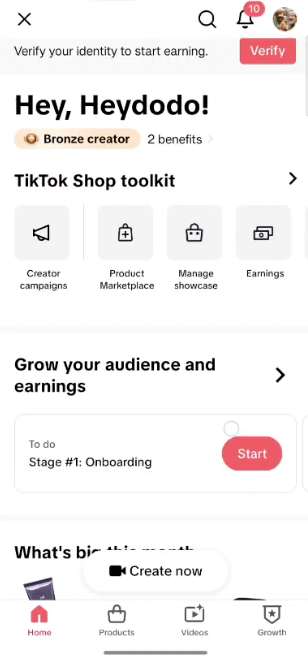
There’s a red Verify button in the top right corner. Tap it.
If there’s no red button, your account is already verified and you can stop here.
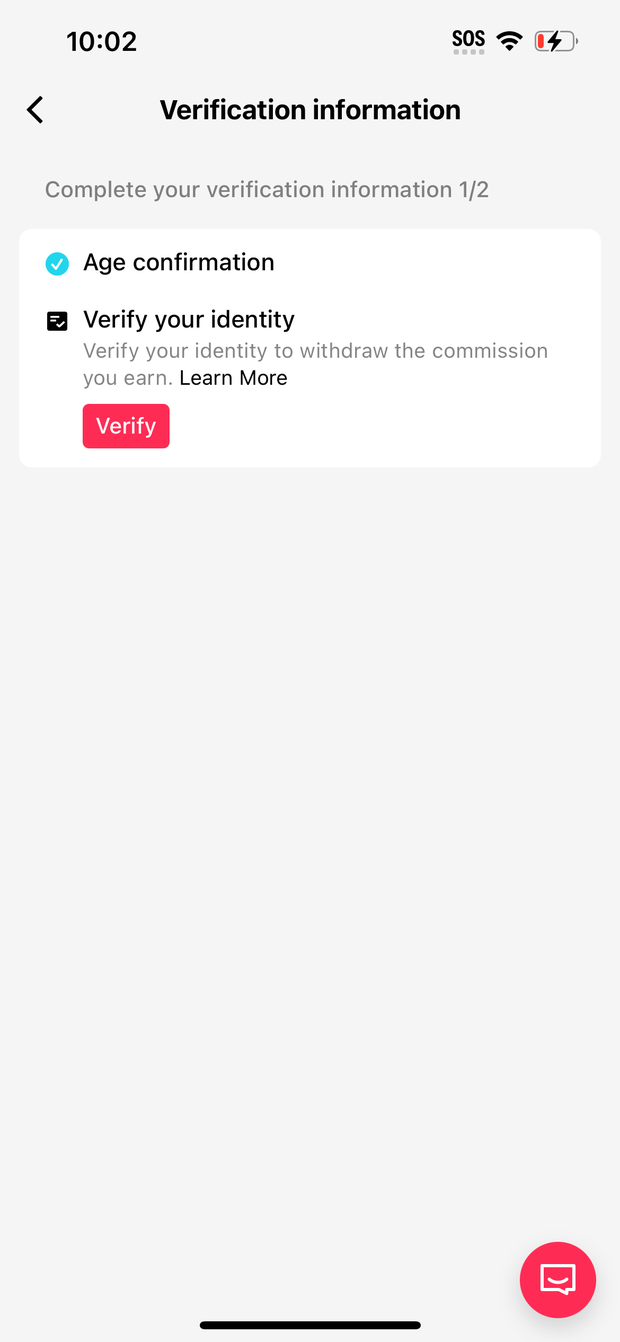
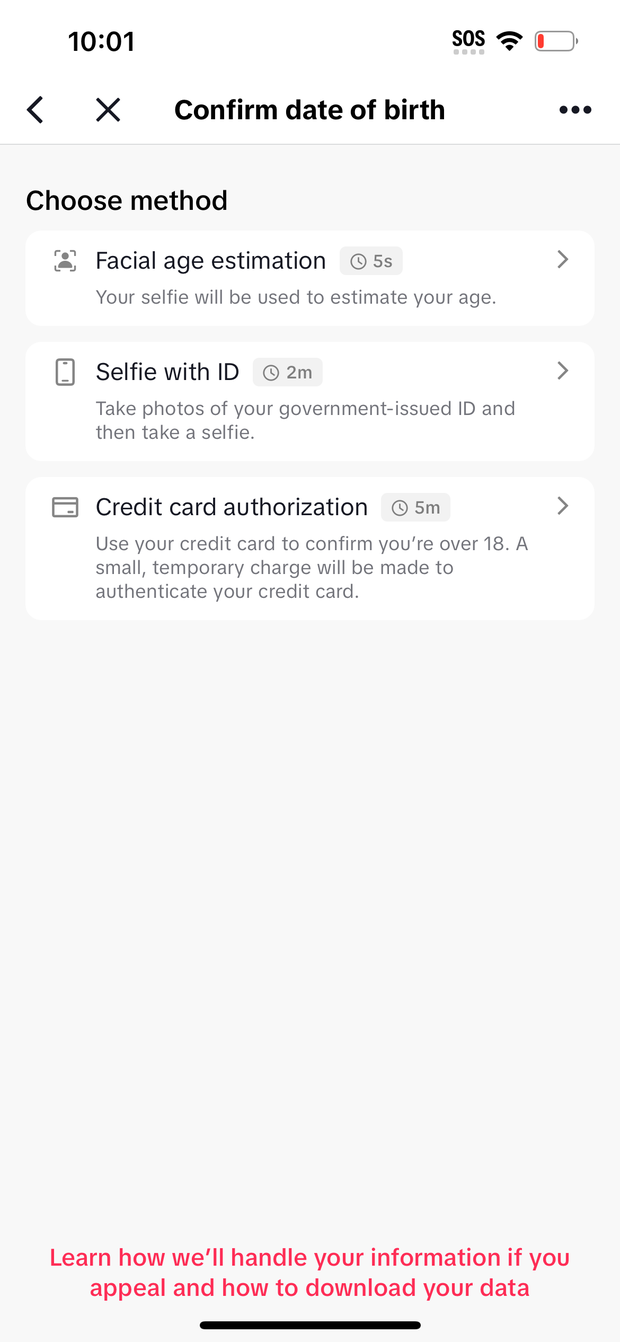
Prove your age — part 1 of 3
TikTok gives you three ways to do this. Pick whichever is easiest for you:
- Face scan — it looks at your face through the camera and guesses your age. Quickest option.
- Selfie with your ID — you hold your ID up and take a photo.
- Card check — it charges and refunds a tiny amount to a card.
Fill in who you are — part 2 of 3
Type in:
- First name, middle name if you have one, last name
- Date of birth
- Full home address — street, city, state and ZIP code
- The last 4 digits of your Social Security Number
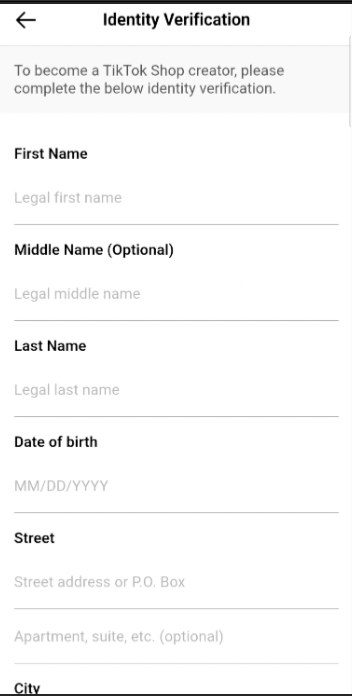
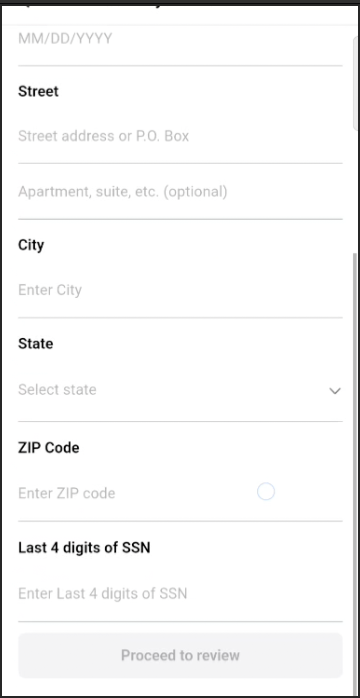
Then tap Proceed to review.
What you type must match your ID exactly. If your ID says “William”, don’t type “Bill”. If it has a middle name, include it. If your street is “Avenue”, don’t write “Ave”.
Tax details — part 3 of 3
The last part asks for tax information, so TikTok knows where to send your money.
It asks for:
- First name and last name
- US TIN — this is your Social Security Number, all 9 digits
- Country, state, city, street address and ZIP code
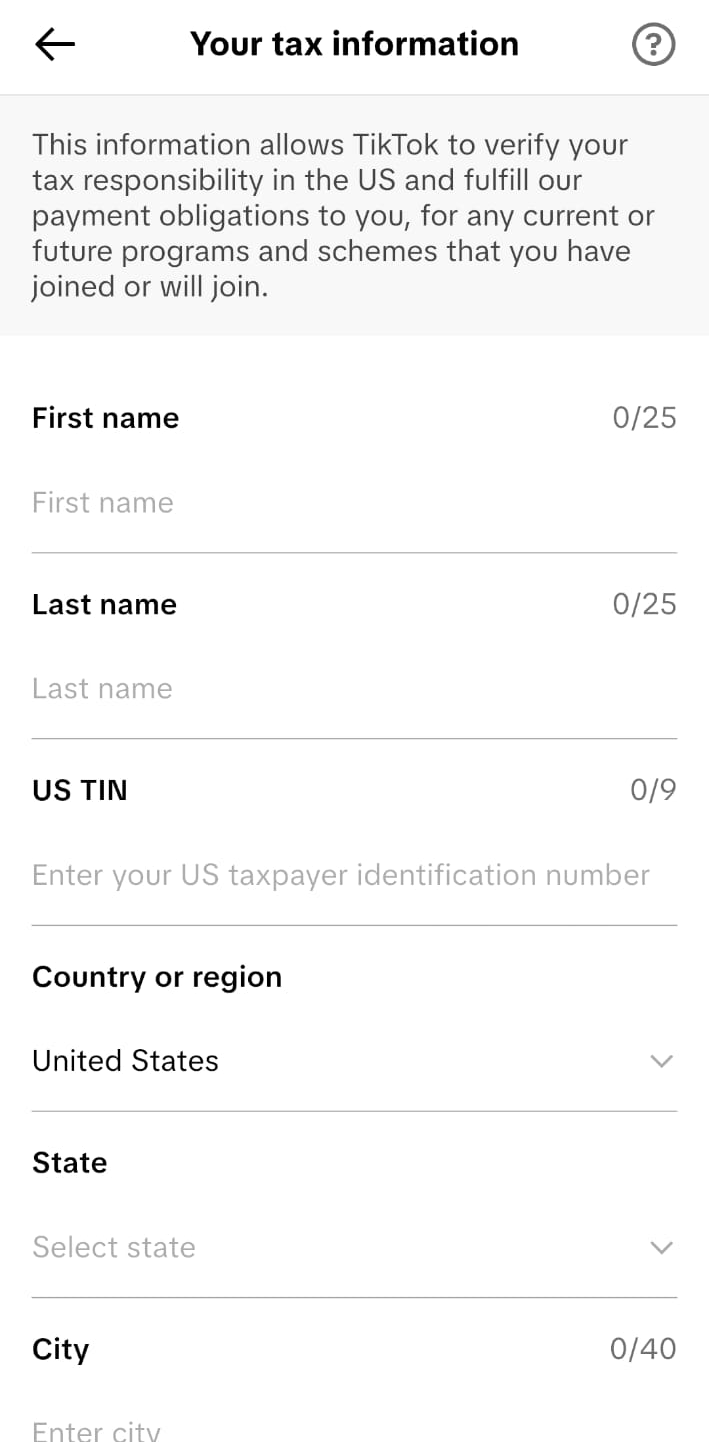
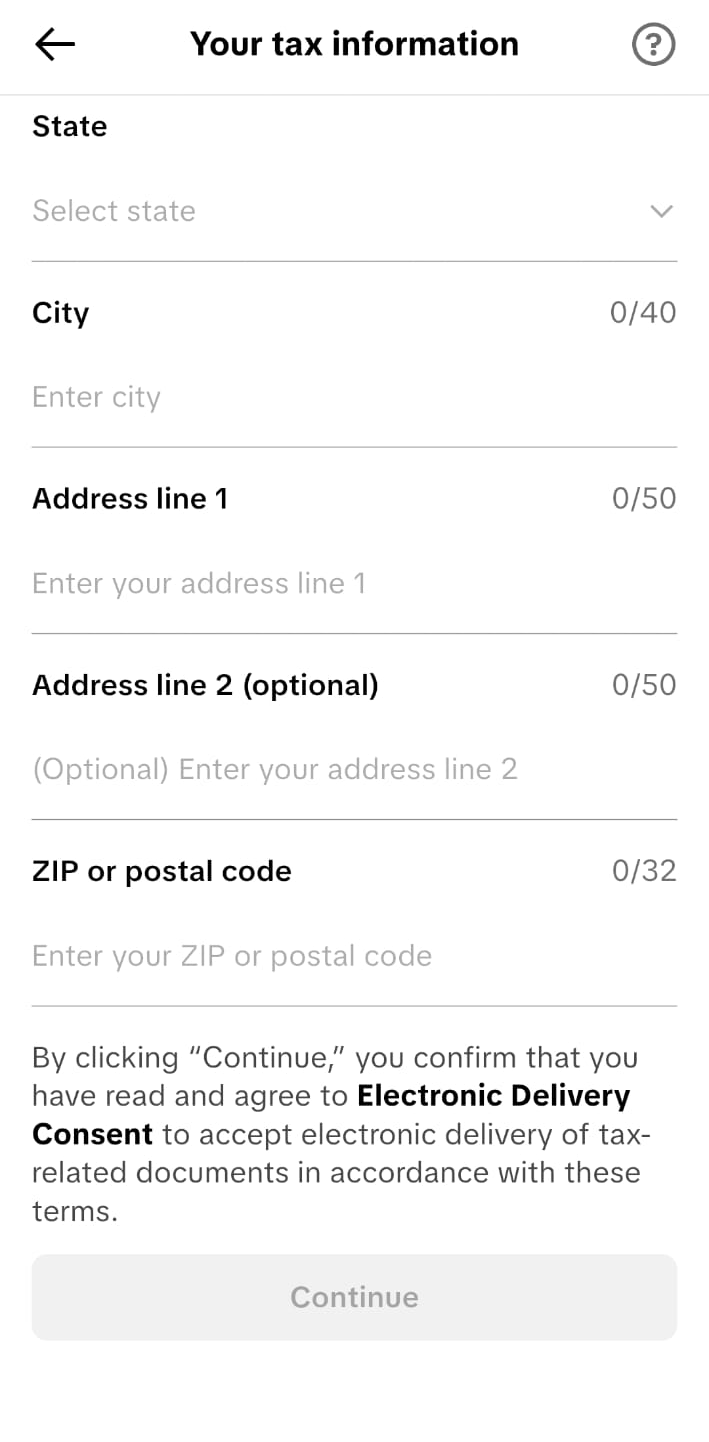
Use the same name and details you just entered. They have to match.
You won’t be able to complete this part, because it needs a US identity and US tax details. That’s a TikTok rule, not ours.
You can still earn. See the section below on how international creators get paid.
How you get paid if you’re not American
TikTok will only pay commissions straight into a bank account if you have a US identity and US tax details. Without those, the money can’t come out of TikTok directly.
So international creators get paid a different way:
- You promote a brand’s products as normal
- The brand sets your commission to 1% inside TikTok — a token amount, not your real pay
- The brand then pays you your actual commission directly — bank transfer, Wise, PayPal, whatever you agree
It’s called the 1% method, and it’s how most international TikTok Shop creators work. Plenty of well-known brands do it — it’s normal, not a workaround.
You deal with brands directly and agree your rate with them, rather than TikTok paying you automatically.
If that doesn’t suit how you want to work, open a ticket before you buy another account so we can talk it through properly.
Submit and wait
Tap submit at the bottom. Now you wait — usually 15 to 60 minutes.
You’ll know it worked when:
- You get an email saying you’re approved
- A notification appears in TikTok
- The red Verify button is gone when you go back to TikTok Shop for Creator
That last one is the easiest way to check. No red button means you’re verified.
Rejected? Check these three things
- Your ID photo. Is it sharp, with all four corners in the picture and no glare?
- Any VPN. If you’re using one, turn it off. If it says you’re in a different country to your address, TikTok rejects it.
- Your details. Go back and compare every single field against your ID, letter by letter.
Still stuck? Open a ticket and tell us what it said. We’d rather help than have you keep retrying — repeated failures make it harder.
Go back and finish the warm-up
Verifying is only part of getting set up. You still need to warm the account up for 2–3 days before you change anything or post.